The short answer
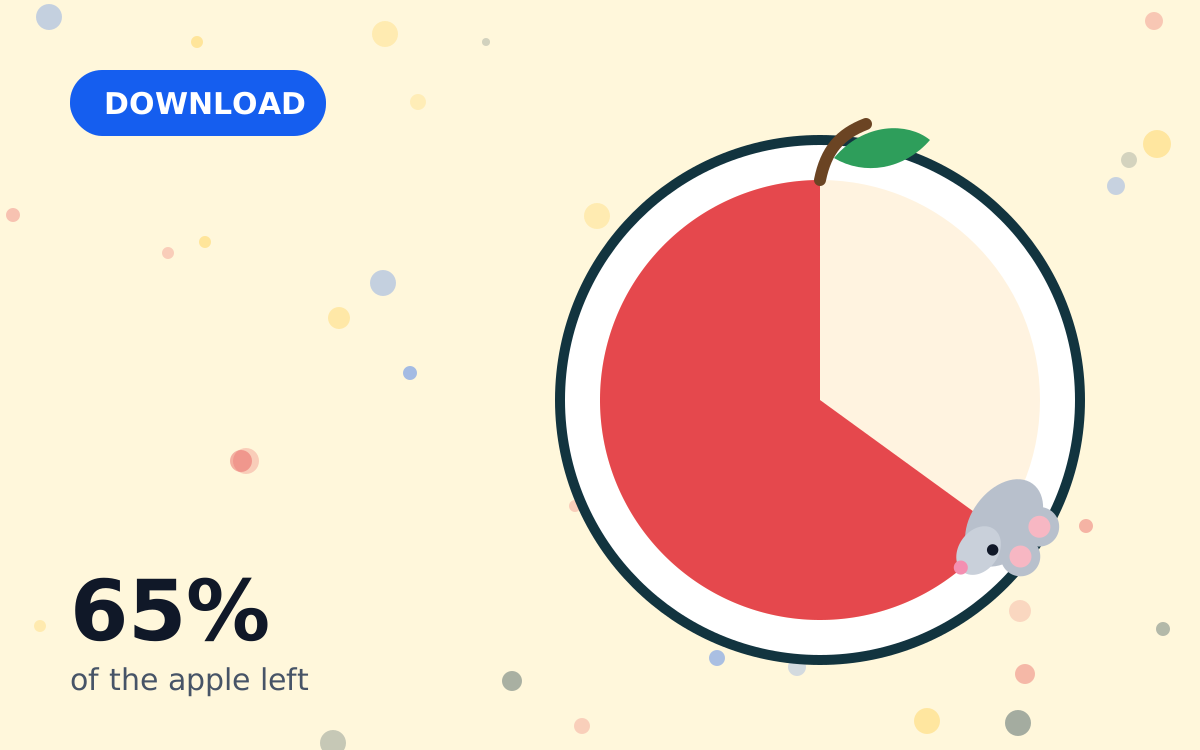
Mouse Timer is a free countdown timer app for Android, iPhone, iPad and Apple-silicon Macs, made by LITALICO Inc., a Tokyo-based company that provides learning and employment support services. Instead of a row of digits, the timer shows a cartoon mouse eating an apple. When you start a countdown the apple is whole; as the minutes pass the mouse nibbles it away; when the time is up only the core remains.
The app first appeared in May 2017. At the time of our check (10 November 2026) the latest version was 1.2.2, updated in October 2025. It's free to download with no advertising, and you can get it from Google Play or the App Store.
Why a picture instead of numbers?
Reading a clock is a learned skill, and understanding what “ten minutes” feels like takes even longer. Young children often can't tell the difference between five and fifty minutes, which is why “how much longer?” gets asked so many times. A shrinking picture removes the need to read numbers at all: half an apple clearly means half the time has gone.
LITALICO's description says the app was designed for children who find it hard to understand the passage of time. That idea — making time something you can see — is the same principle behind the visual timers used in many classrooms. It works for adults too: a glance at the apple is quicker than doing mental arithmetic with a digital readout.
How the timer works
- Choose a time. The main screen shows a set of time options. Tap one and the countdown starts.
- Watch the apple. The mouse eats steadily around the apple, so the remaining fruit always represents the remaining time.
- Pause if needed. You can pause and resume; the app remembers the timer state even if it's interrupted.
- Finish. When the apple is gone the timer ends. If you've switched to another app, a background notification can let you know.
Parents and teachers can reduce the number of times displayed, so a young child sees only one or two choices. Fewer options mean fewer arguments and a calmer screen.
Main features at a glance
- Visual countdown with a mouse eating an apple
- Selectable time options, with a setting to show fewer of them
- Pause and resume
- Background notification when time is up
- Keeps the timer state if the app is interrupted (added in version 1.0.5)
- Prevents the screen from dimming while the timer runs (added in version 1.0.2)
- Available in 11 languages, rated 4+ on the App Store
Is it really free?
Yes. The app is free to download and doesn't show ads. The App Store page still lists a small optional in-app item (an alternative white mouse), but the developer's notes for version 1.2.0, released in November 2024, say all content was made free. If a purchase prompt ever appears, it is optional — you never need to pay to use the timer.
Which devices can use it?
| Device | Where to get it | Requirement |
|---|---|---|
| Android phone / tablet | Google Play | Google Play shows compatibility |
| iPhone / iPad | App Store | iOS / iPadOS 13 or later |
| Mac | Mac App Store | Apple M1 or later, macOS 11+ |
| Windows PC | Browser timer | Any modern browser |
There's no native Windows version. On a PC the simplest choice is a browser-based visual timer, like the one on our homepage.
Privacy and safety
Apple's privacy label for Mouse Timer said “Data Not Collected” when we checked. There are no accounts to create and no chat or social features, which makes it a straightforward choice for children's devices. As with any app, install it only from the official store listings rather than third-party APK sites. The developer's own page is at app.litalico.com, and support questions go to the email address listed there and on the store pages.
Who is LITALICO?
LITALICO Inc. is a Japanese company headquartered in Tokyo. Its work centres on support services for children and adults — including learning support classrooms for children with developmental differences and employment support for people with disabilities — alongside a range of apps and online services. Mouse Timer grew out of that experience: a simple tool to help children who find it hard to grasp how long things take.
The company has published other small apps for families, but Mouse Timer is one of its best known internationally thanks to its friendly design and the fact that it needs no reading skills. You'll see LITALICO Inc. listed as the developer on both store pages; that's the easiest way to confirm you have the genuine app.
A brief version history
- May 2017: first release.
- Version 1.0.2: the screen no longer dims while the timer runs.
- Version 1.0.5: the timer keeps its state if the app is interrupted.
- Version 1.2.0 (November 2024): all content made free.
- Version 1.2.2 (October 2025): the latest version at the time of our check.
Updates are infrequent, which is typical for a small, focused utility. The core experience — choose a time, watch the apple — has stayed the same, which is part of its appeal for children who like predictability.
Who is it for?
Although it was designed with children in mind, Mouse Timer suits anyone who prefers a picture to a number: parents managing morning routines, carers supporting someone who finds clocks confusing, teachers running quick activities and adults who want a calm focus timer. It isn't an alarm clock or a scheduler; it does one job — showing how much time is left — and does it very clearly.
Try the idea in your browser
If you'd like to see how a visual countdown feels before installing anything, use the online Mouse Timer on our homepage. It's an independent tool built by MouseTimer.org — not the official app — but it follows the same idea: an apple that a mouse nibbles away, with quick buttons for 5, 10 and 15 minutes, a custom time, a gentle chime and a big-screen mode.